
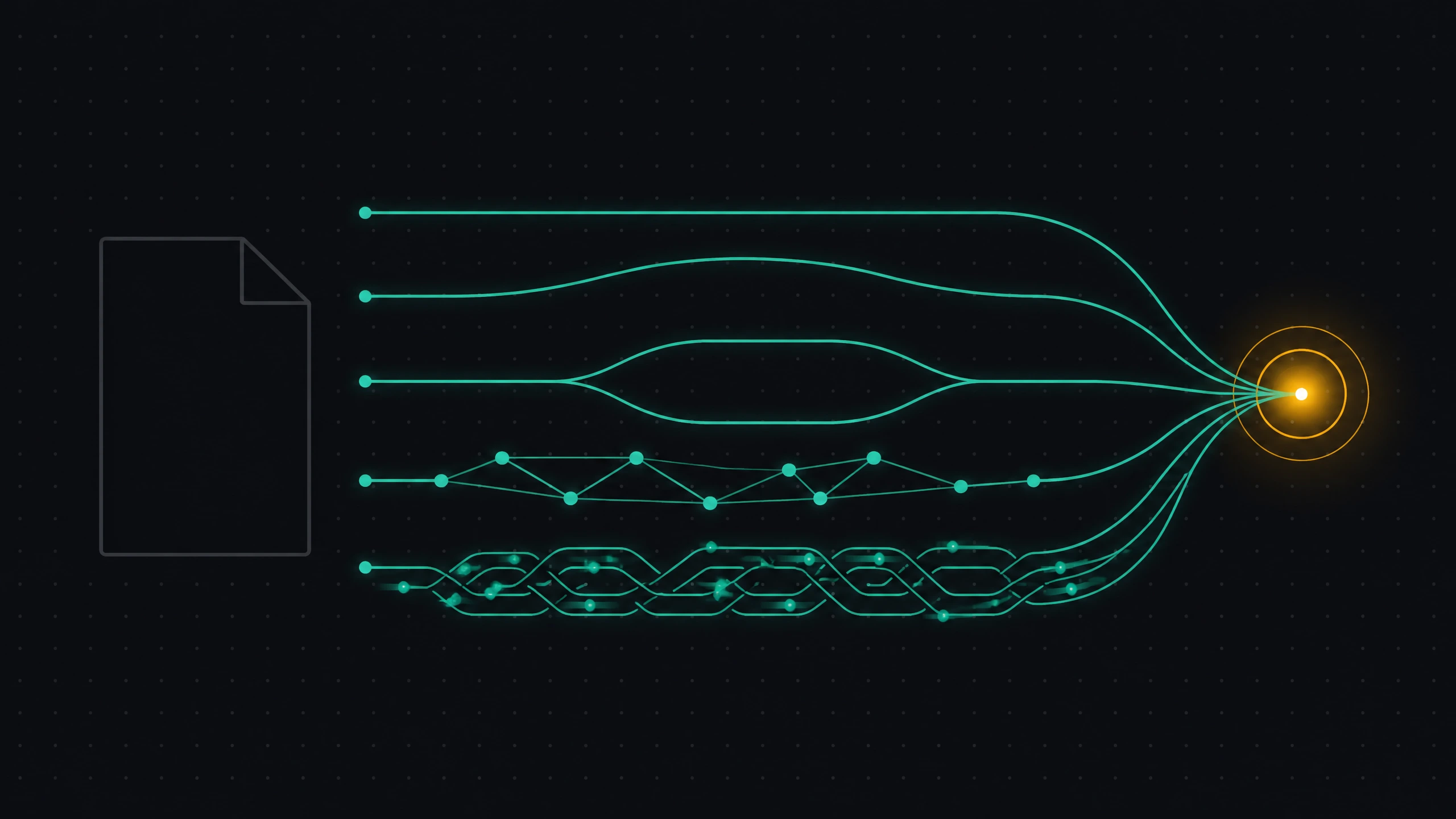
Over the past year, AI systems picked up not one new way to work with websites but five — and they solve different problems. Some just help a model read your site faster. Others let an agent find the right tool among thousands. A few give an agent the authority to act — up to paying for an order on your behalf. Confusing them means spending months on the wrong thing.
What to know before implementing anything
GEO/AEO used to boil down to one question: can AI read and cite your page (I have a separate breakdown of the "persistent agentic search" patent — search that doesn't end at the results page, for more on that). The five protocols below extend that question into three new things AI can do: discover the right resource among many sites, connect directly to your data and tools, and transact on a user's behalf without leaving the chat.
They don't replace classic SEO or Schema.org markup — they sit on top of that foundation. They're not equally mature either: some are v0.1 community initiatives, others are backed by a consortium of Google, Microsoft, Anthropic and dozens more. Below, from simplest to most complex, with an honest read on what's actually worth doing right now.
llms.txt
In plain terms: a file at the root of your site that tells AI, in two sentences, what the site is and where to look next — a table of contents, but for robots. Formally, an open initiative proposed in September 2024 by Jeremy Howard (creator of fast.ai) that standardizes what a site hands language models at inference time. Like robots.txt tells search crawlers what they may crawl, /llms.txt gives AI agents, chatbots and IDE assistants (Cursor, Windsurf, Copilot) clean, structured context about a site.
How it works
The protocol rests on two ideas. First, a plain Markdown file, /llms.txt, at the site root: a short project description and a list of links to sections useful for AI. Second, "clean" Markdown versions of pages at the same URL with .md appended (e.g. /docs/intro.md) — no header, footer, ads, or JS.
How a site owner can use it
Place llms.txt at the root, describe the project's essence, and link out to documentation in a structured way. Set up serving "clean" .md versions of pages. CLI tools exist (e.g. llms_txt2ctx) that walk the links in llms.txt and bundle them into one context file — visitors can copy the whole thing straight into ChatGPT or Claude.
Pros and cons
- For: saves the AI's context window (no tokens burned on HTML wrapping), lowers hallucination risk for assistants, needs no database or API — just text files, already supported by Cursor and Windsurf.
- Against: needs manual upkeep to stay current, unsuited to fast-changing data, still not an official W3C standard — a community initiative.
I've implemented both layers of the protocol on this very site — see it live: /llms.txt, the site map, and /llms-full.txt, the full text of everything published in one file, both generated automatically the moment new content goes live.
Open Knowledge Format (OKF)
In plain terms: a folder of ordinary text files where fields like "title" and "type" always sit in the same place — so AI, not just a human, immediately understands the structure of your knowledge. Formally, an open, vendor-neutral specification formalizing the "LLM-wiki" pattern: a representation of metadata, context and curated knowledge readable by both humans and AI agents. It solves context fragmentation — when important knowledge is scattered across databases, Notion, code comments, and engineers' heads.
How it works
OKF is deliberately simple: no new runtimes, no mandatory SDKs. The document package has three parts: plain Markdown (.md), ordinary files (a .tar.gz archive, a Git repo, or a mounted filesystem), and YAML frontmatter — a small set of standardized fields (type, title, description, resource, tags, timestamp) at the top of each file. If you've used Obsidian, Notion, Hugo, or written a CLAUDE.md/AGENTS.md, the structure will look familiar — OKF just standardizes the field names.
How a site owner can use it
Create a public directory (or open Git repo) with OKF-formatted files — precise, structured context about services, pricing, APIs or products, instead of AI guessing from unstructured HTML. The same files can feed your own support chatbot, which answers without hallucinating because it has a clear metadata structure to work from. If documentation already lives in Git, a CI/CD pipeline can auto-update OKF files whenever services change.
Pros and cons
- For: remarkably easy to adopt (if you can write Markdown and YAML, you already know OKF), human-readable unlike JSON-LD or RDF graphs, Git-friendly (history, pull requests, rollbacks), designed from the start to be chunked cleanly for RAG.
- Against: early stage (v0.1, introduced mid-2026), needs manual upkeep early on, access control has to be configured separately at the hosting level — no built-in security, unsuited to real-time data.
Agentic Resource Discovery (ARD)
In plain terms: a directory of your AI tools and APIs that an agent can ask "who has what I need right now?" and get a precise address back, instead of sifting through thousands of options itself. Formally, an open, decentralized protocol for discovering "agentic resources": specialized AI agents, MCP servers, plugins, APIs, tools, canvases, or workflows. It's being developed by a consortium including Microsoft, Google, Hugging Face, GoDaddy, Cisco, Databricks, GitHub, Nvidia, Salesforce, ServiceNow, and Snowflake, under the Apache 2.0 license. It solves a specific problem: an AI assistant can't hold thousands of API schemas in its context window at once, and ARD lets it ask, in real time, what tools are available for a given task.
How it works
ARD operates at the before-invocation stage — the actual tool call happens over its own native mechanism (MCP or REST, for instance). Five steps: a developer describes a resource per the AI Catalog standard; services collect these descriptions into collections (public, corporate, or niche); a standardized API sits on top of the collection — a mandatory POST /search for semantic search by natural-language task description, plus optional POST /explore and GET /agents; an AI client hits the search endpoint, finds a matching tool, and offers it to the user.
How a site owner can use it
Three steps. First, create an ai-catalog.json manifest: a static JSON file describing your resources, including a representativeQueries field — 2–5 natural-language example queries that semantic search will match your tool against. Second, host it at /.well-known/ai-catalog.json, with an Access-Control-Allow-Origin: * header so crawlers can read it. Third, optional — if your site is on GitHub Pages or S3 and you can't place a .well-known folder, add a _catalog._agents.yourdomain.com DNS TXT record pointing to the file instead.
Pros and cons
- For: a new visibility channel — your services get surfaced to users directly inside ChatGPT, Claude, or Copilot at the moment of a relevant task; saves AI context; decentralized — no single monopoly app store; backed by Google, Microsoft, and Hugging Face; basic participation needs just one static file.
- Against: early stage (v0.1); a trust problem — anyone can publish a manifest, so discovery services will need to moderate spam and malicious entries; publishing the file doesn't guarantee indexing or ranking.
Model Context Protocol (MCP)
In plain terms: a universal adapter that lets any AI model connect to your data and tools the same way — instead of a separate plugin for every chatbot. Its creator, Anthropic (the company behind Claude), calls it "a USB-C port for AI applications": just as USB-C standardized connecting physical devices, MCP standardizes connecting models to external data, tools, and workflows. OpenAI, Cursor, and VS Code, among others, support it too.
How it works
MCP is built on a client-server architecture over JSON-RPC 2.0. Three parts: AI clients (Claude Desktop, ChatGPT, Cursor, VS Code) that initiate the connection; MCP servers — lightweight programs in Python, Node.js, or Go, local or remote, that "wrap" a specific database, API, or set of files; and data sources themselves — files, databases (PostgreSQL, SQLite), external APIs (GitHub, Slack, Google Calendar). A server hands the client three kinds of capabilities: resources (read-only data — DB schemas, logs, docs), tools (executable functions like "send a Slack message," called strictly with user consent), and prompts (ready-made system-prompt scenarios).
How a site owner can use it
Instead of separate plugins for ChatGPT, Claude, and a Cursor extension — one MCP server for your API: any developer connects it to their AI assistant and works with your service (analytics, orders, balance) right from the chat. If your site gives developers tools (cloud hosting, a database), an MCP server lets them manage infrastructure from Cursor or VS Code via AI. Internally, MCP servers can unify Notion, Jira, your site's databases, and Google Drive into one secure corporate search, without retraining any model.
Pros and cons
- For: "write once, use everywhere" — one server runs unchanged in Claude, ChatGPT, and Cursor; security — the model never touches your database directly, only the server's allowed commands, and critical actions need user confirmation; flexible transport (local Stdio or remote SSE); a growing public registry of ready-made servers for GitHub, Postgres, Slack, Google Drive.
- Against: requires writing and continuously hosting a full server application, not just a text file; end users have to manually configure it in their AI client; the layered architecture (model → client → JSON-RPC → server → API) adds latency versus a direct API call.
WebMCP
In plain terms: a way for an open browser tab to become an MCP server for a desktop AI assistant by itself — no server code required. This article was built around five protocols, but a sixth showed up while I was writing it, and it would be dishonest not to mention it: WebMCP isn't one protocol — it's two parallel efforts sharing the same name. The first is the official W3C/Chrome draft standard (navigator.modelContext), the same declarative and imperative API I showed above using this site's own MCP markup — check /mcp/, it's exactly what that standard describes. The second is an independent experimental project by developer Jason McGhee (jasonjmcghee/WebMCP), solving the same problem differently: through a local WebSocket bridge running on the user's own machine. The two aren't compatible with each other — worth knowing which one you're actually shipping.
How it works (the McGhee approach)
A site owner adds one script tag (<script src="webmcp.js"></script>) — a widget appears on the page asking for a token. The user runs a local process on their own machine (npx -y @jason.today/webmcp@latest --config claude), which spins up a WebSocket server on localhost and connects to an MCP client like Claude Desktop. The client generates a one-time registration token; the user pastes it into the site's widget — the token is destroyed, and the site is issued a session channel scoped to its own domain (webmcp.dev:search, site.com:order — no mix-ups even with ten WebMCP-enabled tabs open at once). From there, the AI assistant sees the tools the site declared and calls them directly on the open page — not through an API, but against the tab's live state.
How a site owner can use it
Best fit where an AI needs to operate the interface, not just read data: filling out a complex booking form, filtering a catalog, flipping a dashboard's state — on the live page, without a separate backend per action. For sites that already have an open API, the native path makes more sense (Method 1 from the MCP section above, or the declarative attributes I used on this site's own blog search) — it asks nothing of the visitor to run locally.
Pros and cons
- For: a site only needs one script tag and a set of JS functions — no separate backend or server-side MCP required; client-side safety — the AI gets no hidden access to files or browser cookies, authorization only happens after an explicit token is entered on a specific tab; more interactive than a plain API — the AI works against the page's live state (an SPA, a dashboard, a canvas), not just reading data.
- Against: an early, unofficial community prototype — not compatible with the W3C standard being built for browsers in parallel, and easy to confuse with it; the user still has to run a local process — today's browsers still can't talk to MCP clients directly without a bridge; the connection only lives as long as the tab stays open — close the site, and its tools disappear immediately.
Universal Commerce Protocol (UCP)
In plain terms: a protocol that lets an AI assistant not just recommend a product but actually buy it on your behalf, without leaving the chat. Formally, an open standard letting AI agents complete transactions — purchases, bookings — on a user's behalf directly inside the AI interface, skipping the site visit entirely. It's already expanding beyond classic retail into food service and lodging.
How it works
UCP ties together three parties: the AI surface (the client), the merchant, and payment/identity services. It uses a merchant's existing product feeds in Google Merchant Center to find and surface products the moment a user expresses purchase intent inside AI search, and builds a secure, transparent transaction trail between the merchant, credential providers, and payment gateways. Two checkout options: native checkout, where the purchase logic lives entirely inside Gemini or AI Search's interface, giving agents maximum autonomy; and embedded checkout, an optional path for approved major brands with complex purchase flows, handled through the merchant's own secured iframe inside the AI interface.
How a site owner can use it
Three steps for a store, food-delivery service, or hotel owner: make sure a Google Merchant Center account is set up and product data is current; apply to the program on Google's official site for your vertical (Retail, Lodging, or Food) — as of mid-2026 the protocol is still expanding by application; study the open UCP spec on GitHub and configure your payment and order systems to accept UCP-formatted requests.
Pros and cons
- For: zero-click purchases — no site visit, no re-registering, no re-entering a card, which sharply cuts cart abandonment; the merchant stays Merchant of Record — keeps customer data and manages fulfillment; ready-made access to Gemini and Google Search's AI Mode audience without building your own AI app; Google's roadmap includes multi-cart purchases, loyalty program linking, and post-purchase support via AI.
- Against: closed testing and a waitlist, not open access out of the box; native checkout is technically demanding, including handling transactions initiated by external AI systems; dependence on Google's ecosystem as the key beneficiary; native checkout locks you into Google's standard interface, making upsell and your own brand design harder to show.
Comparison table
| Protocol | What it does | Implementation effort | Backed by | Stage |
|---|---|---|---|---|
| llms.txt | Hands AI clean context about the site | One text file | Community (Jeremy Howard) | Mature, widely supported |
| OKF | Standardizes a site's knowledge base | Files + YAML frontmatter | Community | Early (v0.1) |
| ARD | Helps agents discover your tool/API | One JSON manifest | Microsoft, Google, Hugging Face, et al. | Early (v0.1) |
| MCP | Connects a model to your data and tools | Server application | Anthropic, OpenAI, et al. | Mature, growing registry |
| WebMCP | Turns a browser tab into an MCP server for a desktop AI | Script+widget (community) or attributes/JS (native) | Community (J. McGhee) / Chrome, W3C | Early prototype / draft standard |
| UCP | Lets an agent buy on your behalf | Payments + Merchant Center integration | Closed testing |
What to do: recommendations
Ship now: llms.txt — it's literally one file, it can't break anything, and I can see on my own site that it actually works. If you run a SaaS, docs, or an API with knowledge scattered across a dozen places, add OKF alongside it — also just files, but it solves context fragmentation, which otherwise won't fix itself. If your site already has simple GET forms — search being the obvious one — add toolname/tooldescription attributes to them for free: it changes nothing for ordinary browsers and costs nothing to add, which is exactly what I did on this site's own blog search.
Prepare and pilot: ARD, if you already have an API or MCP server worth making discoverable — a one-JSON-file manifest doesn't need major investment, and the standard is backed by too large a consortium to just disappear. MCP, if your site or service offers something people genuinely want to manage from a chat (analytics, orders, infrastructure): this is an engineering project, not a one-off edit, but it has both Anthropic and OpenAI behind it at once — a rare case for competitors to agree on anything.
No need to rush yet: UCP — unless you're in retail, food delivery, or lodging with a Google Merchant Center account already running, this is premature for you: the protocol is at the waitlist stage, and spending resources on it now means preparing for a door that may or may not open within the year. Check back quarterly; don't reassign your dev team over it just yet. The same goes for WebMCP's community-bridge flavor (webmcp.js): a neat idea, but it asks your visitor to run a local process on their own machine — and the official browser standard it isn't compatible with is still being built in parallel. Watch it; don't build a product around it yet.

0 comments
No comments yet — be the first to share your thoughts.
Sign in to post your comment instantly:
…or comment as a guest — guest comments appear after moderation.